
@phun-ky/speccer / pin
Variable: pin
const pin: {
  createPinElement: (
    content: string,
    options: SpeccerOptionsInterface,
    id: string,
    n: string
  ) => HTMLElement;
  pinElement: (
    targetElement: HTMLElement,
    parentElement: HTMLElement,
    content: string,
    options: SpeccerOptionsInterface
  ) => Promise<string | undefined>;
  pinElements: (
    sectionElement: HTMLElement,
    options?: SpeccerOptionsInterface
  ) => Promise<void>;
};
Defined in: main.ts:121
This feature annotate or highlight the anatomy of an element.
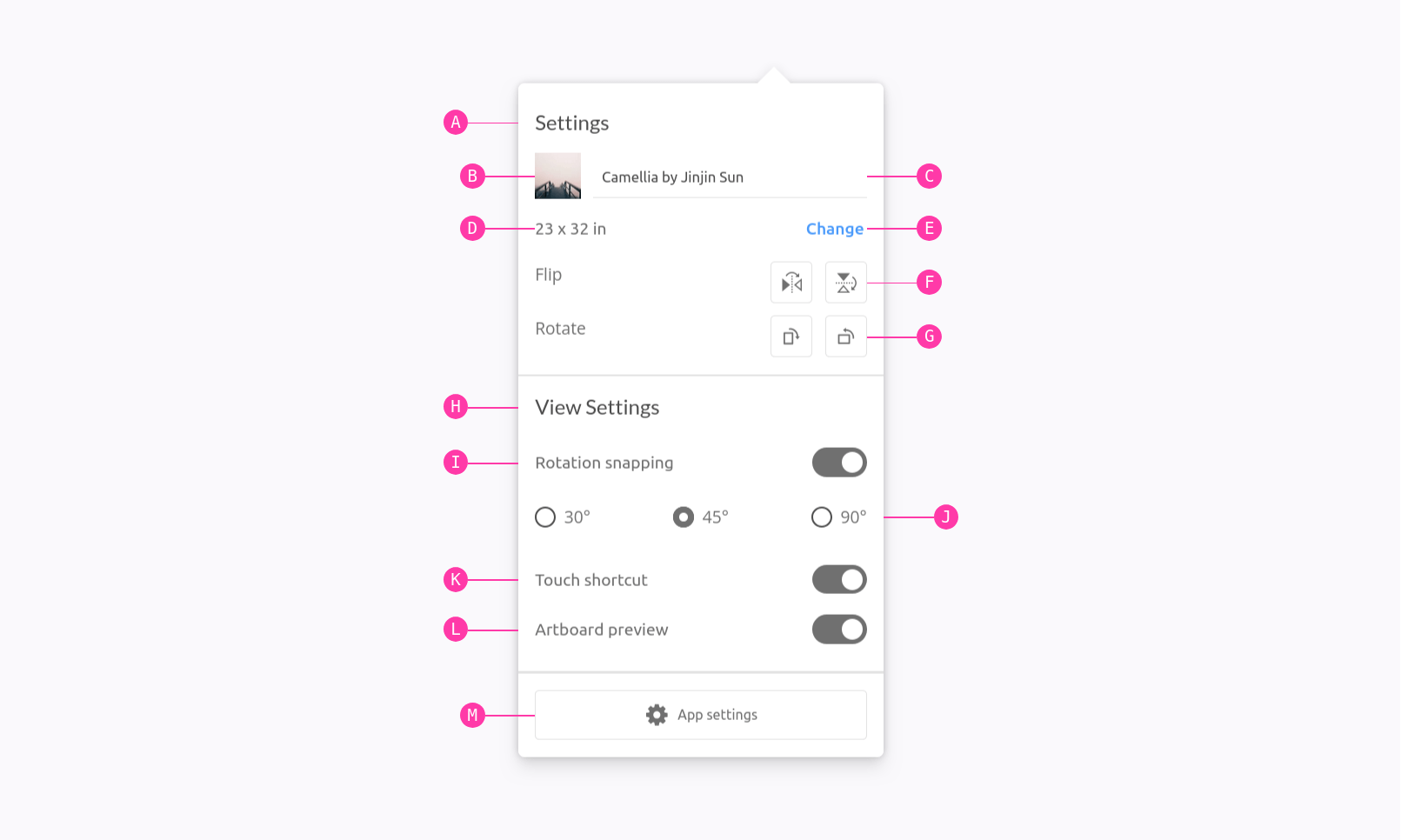
In your component examples, use the following attribute. Remember to use the data-speccer="pin-area"-attribute on a parent element to scope the marking.
Type Declaration
createPinElement
createPinElement: (
  content: string,
  options: SpeccerOptionsInterface,
  id: string,
  n: string
) => HTMLElement;
Create a pin element with optional content, area description, and element type.
Parameters
content?
string = ''
The content to add to the element.
options
The option for styling.
id?
string = ''
The id of the pinned element
n?
string = 'span'
The element type.
Returns
- The created pin element.
Example
const pinElement = createPinElement('A', 'outline top', 'div');
document.body.appendChild(pinElement);
pinElement
pinElement: (
  targetElement: HTMLElement,
  parentElement: HTMLElement,
  content: string,
  options: SpeccerOptionsInterface
) => Promise<string | undefined>;
Create and style the pin element as needed.
This function appends a new pin element to the document body based on the data-speccer="pin" attribute of the target element. It handles different styles, such as curly brackets or lines, based on the pin type.
Parameters
targetElement
The target element that contains the pin data.
parentElement
The parent element
content
string
The content to use.
options
options
Returns
Promise<string | undefined>
A promise that resolves to the id of the pin element when the process is completed, or void if required input is invalid.
Example
const targetElement = document.getElementById('target');
const parentElement = document.getElementById('parent');
const content = '…';
const options = { … };
pinElement(targetElement, parentElement, content, options).then(() => {
  console.log('process completed');
});
pinElements
pinElements: (sectionElement: HTMLElement, options?: SpeccerOptionsInterface) =>
  Promise<void>;
Create pinned elements based on the section element and its data-speccer attributes.
Parameters
sectionElement
The section element containing pinned elements.
options?
Options.
Returns
Promise<void>
- A promise that resolves after creating pinned elements.
Example
const sectionElement = document.getElementById('section');
pinElements(sectionElement);
Example
<div data-speccer="pin-area">
  <div
    data-speccer="pin [bracket [curly] |enclose] [left|right|top|bottom]"
    class="..."
  ></div>
</div>